 EN
EN


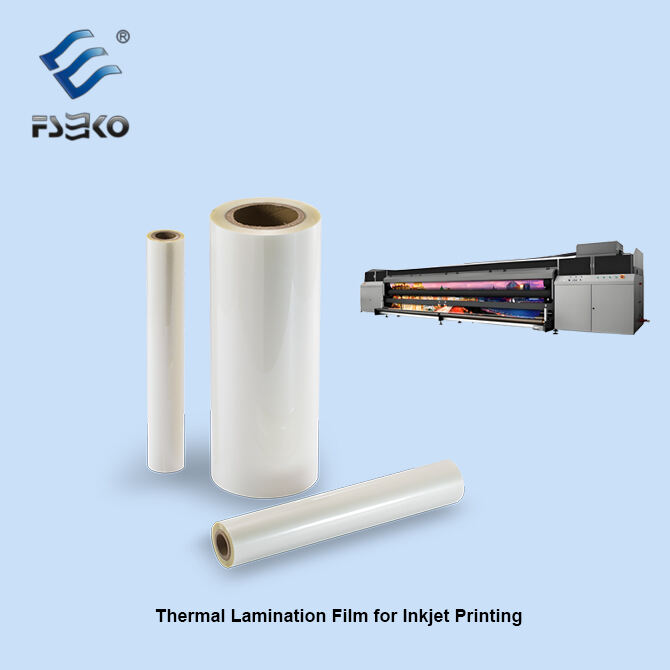
Protecting Prints with Inkjet Lamination: Durability Against Environmental and Physical Damage
Shielding Against UV Radiation, Moisture, and Dirt in Demanding Environments
When we apply inkjet lamination, it creates a strong protective layer that stops around 98% of those harmful UV rays from getting through, as shown in the latest Wide Format Printing Report from 2024. This means colors stay vibrant much longer when signs are hanging outside under bright sun. The laminated surface acts like a shield against moisture too, which matters a lot in places with lots of humidity such as warehouses or stores where the air can get really damp sometimes, often going over 60% humidity levels. Signs mounted vertically in city centers don't collect dust so quickly either. Testing has found these protected prints remain readable two to three times longer compared to regular prints without any protection covering them.
Preventing Abrasion and Mechanical Wear in High-Traffic Applications
Films that are around 3 to 5 mil thick really stand up well against scratches and scuffs, which makes them great for places where people walk all day long. Take airport floor graphics for example these days they get hit by thousands of feet every single day. When properly laminated, most still look pretty good after half a year, keeping about 90% of their original details. That's way better than what happens with regular unprotected graphics which tend to fall apart within just a few weeks. A recent study from last year showed something interesting too. Polyethylene based laminates actually cut down on edge lifting problems by about 40% in those tricky spots where temperatures keep changing back and forth, like inside cold storage areas or refrigerated display cases.
Extending Print Lifespan While Avoiding Over-Lamination Risks
When done right, inkjet lamination can keep outdoor prints looking good for about 3 to 5 years while still being recyclable. Going overboard with thick films above around 175 microns often leads to problems like stiffness and cracks on curved surfaces. Thin films between roughly 50 and 75 microns work much better since they stay flexible yet still protect the print. Looking at what's happening in the industry, companies report cutting down on early replacements by nearly three quarters when they find the right balance between film thickness and how well it works with different materials. Getting this balance right makes all the difference in both cost savings and print quality over time.
Enhancing Visual Quality Through Inkjet Lamination Finishes
Boosting Color Vibrancy and Optical Clarity with Laminated Surfaces
Inkjet lamination enhances color saturation by up to 30% compared to untreated prints (Print Quality Institute 2023), acting like a protective magnifier. This effect stems from two key mechanisms:
- Surface Diffusion Control: Lamination reduces light scatter, deepening perceived color depth
- UV Filtering: Specialty films block 99% of UV radiation (ASTM D4329 standard)
| Finish Type | Gloss Level | Color Enhancement |
|---|---|---|
| Gloss | 85-100 GU | Increases contrast by 40% |
| Matte | 10-25 GU | Reduces glare while maintaining 92% color fidelity |
Choosing Between Glossy, Matte, and Soft-Touch Finishes for Brand Impact
The tactile and visual qualities of lamination influence customer engagement:
- Glossy: Increases recall by 22% in promotional materials (2024 Print Finishing Study)
- Matte: Favored in luxury packaging for its sophisticated, non-reflective finish
- Soft-Touch: Encourages 40% longer handling time in product samples (Lamination Trends Report)
A 2023 neuromarketing study found soft-touch laminates activate sensory cortex regions three times more intensely than uncoated surfaces, enhancing emotional connection with branded materials.
Ensuring Graphic Fidelity and Consistent Appearance Across Print Runs
Modern inkjet lamination systems achieve âˆ0.8 delta-E color variance across production batches through automated film tension control (±2%), real-time optical registration, and adhesives stable from -40°C to 120°C. Manufacturers with G7 Master Certification report 98% consistency in laminated outputs across global facilities, minimizing reprints in large-scale campaigns.
Inkjet Lamination in Outdoor and High-Traffic Applications
Performance of Laminated Prints in Prolonged Sun and Harsh Weather
Lamination for inkjet prints helps protect them from fading in the sun, getting wet, and wearing down over time. This makes all the difference for things like signs outside, posters at construction sites, and labels used in farming. Prints that aren't laminated tend to fade pretty badly after just half a year sitting in direct sunlight. The colors get dull and washed out. But when we apply lamination, those same prints keep most of their bright colors even after months outdoors. Some recent tests show this too. Most outdoor projects these days use cold laminates because they work better on rough surfaces without causing problems with heat. Contractors love this since it means fewer headaches dealing with warped materials during installation.
A 2023 analysis of traffic signs in coastal regions revealed:
| Metric | Laminated | Non-Laminated |
|---|---|---|
| Fade resistance | 8.2 years | 1.5 years |
| Water damage events | 12% | 89% |
| Replacement frequency | 0.3x/year | 2.1x/year |
Case Study: Vehicle Wraps and Floor Graphics Protected by Inkjet Lamination
A leading fleet graphics provider reduced adhesive failures by 93% by combining solvent-based inks with 3-mil polyester laminates. Their Arizona-based test fleet demonstrated:
- No edge lifting after 15 months at temperatures above 110°F
- 86% fewer scratches than non-laminated wraps
- 78% retention of light-reflective properties at night
For retail floor graphics, a European materials study showed laminated vinyl withstands 42,000 foot traversals before wear appearsâover five times more than unprotected prints. Modern laminates incorporate ceramic nanoparticles that deflect UV-A/B radiation while preserving 98% of the original ink color gamut.
Cold vs. Hot Lamination: Selecting the Right Process for Inkjet Prints
Advantages of Cold Lamination for Heat-Sensitive Materials
Cold lamination works by using pressure sensitive glue to stick films together without needing any heat at all. This makes it really good for materials that tend to warp when exposed to warmth, like those vinyl banners we see everywhere or synthetic paper stuff printed with those special UV inks. Some folks who know about finishing techniques did a comparison study and found out that cold lamination keeps about 98 percent of the ink intact in delicate applications which matters a lot for things like archival quality photos and those fast drying inkjet prints people love so much these days. Another plus point is that it gets rid of the problem where ink tends to bleed through during hot lamination processes, something that often happens with prints made from solvent based inks according to research published by Treetowns last year.
When Hot Lamination Improves Adhesion and Long-Term Durability
Hot lamination works by using heat activated glues around 250 to 300 degrees Fahrenheit that create much stronger molecular connections between materials. The result? About 40 percent improvement in keeping out moisture compared to regular cold lamination techniques. For things like billboards standing up against rain or ID badges that need to last at least five years before wearing out, this method is basically what professionals reach for. Recent improvements have brought about these lower temperature hot films around 200 degrees Fahrenheit too. This development means manufacturers can safely apply them onto certain types of inkjet printed materials that used to only work with the colder alternatives. Safety concerns were always a problem with older high heat options after all.
Industry Trend: Growth of Cold Roll Lamination in Digital Print Workflows
The digital print shop sector has seen cold roll laminators gain popularity pretty quickly lately, growing at around 22% per year according to DPS Magazine's 2023 report. The main reason? These machines work really well with those fast drying substrates that modern inkjets require. Cold systems differ from traditional hot lamination methods because they allow for continuous roll to roll processing instead of batch based approaches. This change alone helps cut down material waste by approximately 15%, plus makes on demand production much easier to manage. Looking ahead to 2024, nearly two thirds of all new laminator setups now come with hybrid capabilities, meaning operators can switch between hot and cold modes right within the same equipment without needing separate machines for different jobs.
Overcoming Adhesion and Material Compatibility Challenges in Inkjet Lamination
Addressing Delamination Risks Due to Ink-Film Chemical Mismatches
Delamination keeps happening as one of the main problems we see, particularly when certain ink formulas just don't play nice with the adhesives in films. According to some recent findings published in last year's Digital Fabrication Inkjet Inks study, around a third of all printing issues come down to bad sticking between water-based inks and materials that don't absorb much liquid, such as vinyl surfaces or polypropylene plastics. If someone wants to avoid these headaches, they need to check out surface energy levels first. Most materials with readings under 38 mN/m will probably need either corona treatment or some kind of primer coating before anything sticks properly anyway.
Matching Lamination Films to Ink Types: Aqueous, Solvent, and UV-Curable
Successful lamination depends on aligning film chemistry with ink type and substrate:
- Aqueous inks: Require hydrophilic adhesives for porous media like uncoated paper
- UV-curable inks: Need low-migration films to avoid plasticizer-induced cracking on rigid substrates
- Solvent inks: Perform best with aggressive adhesives on synthetics, though excessive heat during hot lamination can reactivate solvents and cause bleeding
Studies show mismatched films with UV inks increase delamination risk by 70% in humid conditions (Adhesive Chemistry in Print Finishing). Today's cold lamination systems feature real-time viscosity sensors that automatically adjust pressure based on ink film thickness, reducing compatibility-related waste by 22% compared to manual setups.
FAQ
What is inkjet lamination?
Inkjet lamination is a process of applying a protective film over inkjet prints to enhance durability, color vibrancy, and extend the print lifespan by shielding against UV rays, moisture, abrasion, and other environmental factors.
What types of finishes can inkjet lamination provide?
Inkjet lamination can offer glossy, matte, and soft-touch finishes, each impacting the visual and tactile qualities of the print for desired customer engagement and brand impact.
Why choose cold lamination over hot lamination?
Cold lamination is preferred for heat-sensitive materials, as it uses pressure-sensitive adhesives without heat, reducing the risk of warping and ink bleed-through, especially with fast-drying substrates used in modern inkjet printing.
What are the challenges of inkjet lamination?
Challenges include delamination risks due to ink-film chemical mismatches; therefore, it's important to match lamination films with the specific ink type and substrate to ensure proper adhesion and durability.
Table of Contents
- Protecting Prints with Inkjet Lamination: Durability Against Environmental and Physical Damage
- Enhancing Visual Quality Through Inkjet Lamination Finishes
- Inkjet Lamination in Outdoor and High-Traffic Applications
- Cold vs. Hot Lamination: Selecting the Right Process for Inkjet Prints
- Overcoming Adhesion and Material Compatibility Challenges in Inkjet Lamination
- FAQ