 EN


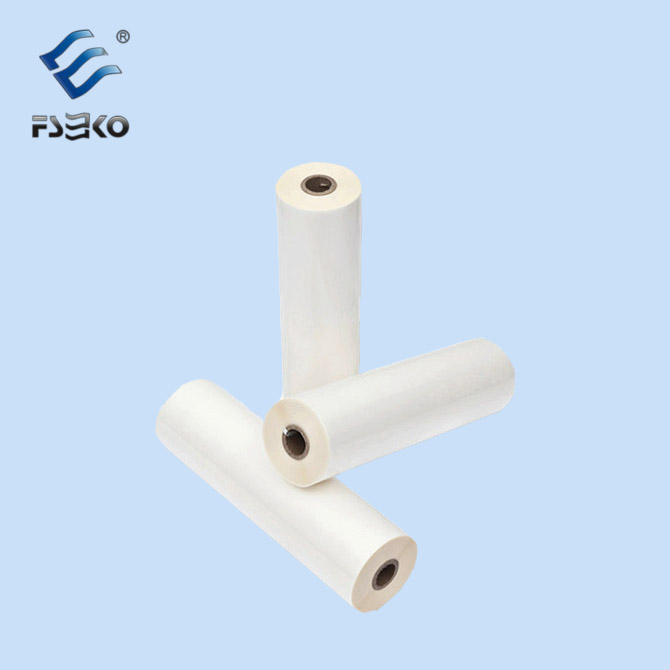
How Thermal Lamination Films Reshape Visual Performance of Printed Surfaces
Thermal lamination films carry a pre-applied hot-melt adhesive layer that activates under controlled heat and pressure to fuse tightly with printed substrates. Once bonded, the uniform film surface smooths micro peaks and valleys on paper or synthetic stock, changing how light reflects off ink layers. This physical smoothing boosts color saturation and sharpness, rather than simply adding a clear cover over graphics. Research published within graphic finishing technical literature notes that properly laminated prints deliver higher distinctness of image scores compared to unlaminated equivalents, especially on coated paper with dense ink coverage. The visual lift varies heavily by film finish. Gloss grades amplify reflection for rich, punchy graphics, while matte variants diffuse light to cut glare and preserve fine text readability. Neither option rewrites the original color output from the press, but both lock ink layers in place and stabilize surface appearance against minor handling damage.
Core Quality Differences Between Thermal Lamination and Wet Lamination Workflows
Many finishing facilities weigh thermal lamination films against water-based or solvent wet lamination when planning high-quality print runs. The two approaches create different failure patterns and demand different process controls. The table below outlines consistent field observations gathered from commercial converting lines.
| Metric | Thermal Lamination Film | Wet Lamination |
|---|---|---|
| Adhesive Delivery | Factory pre-coated solid hot melt | Liquid adhesive applied on machine |
| Bubble Risk Source | Mostly trapped air from poor nip contact | Unfinished solvent or water evaporation |
| Batch-to-Batch Consistency | Less operator adjustment needed | Sensitive to glue mixing and viscosity |
| Post-Lamination Cure Time | Minimal, bond forms as it exits the nip | Requires drying time before downstream work |
| Residue and Roller Buildup | Lower | Higher with solvent and water-based formulas |
A print finishing shop serving retail display projects ran matched sample sets on coated cardstock for seasonal promotional prints. The shop tracked reject rates linked to inconsistent gloss and bubbling. Jobs finished with thermal lamination films showed fewer random defects once machine parameters stabilized, while wet lamination runs needed frequent glue checks and extended drying space. The thermal route did not eliminate all quality risks, but it removed adhesive mixing as a major variable that operators needed to monitor continuously.
Ink and Substrate Compatibility That Defines Final Lamination Quality
Thermal lamination films do not perform uniformly across every ink and substrate combination. Heat and pressure interact with ink chemistry, paper moisture and surface energy at the bonding interface. Three common compatibility categories appear regularly in production environments.
- Dry toner prints generally pair reliably with standard thermal grades, as long as toner has fully fused before lamination. Uncured toner can reflow and smear under heat.
- Aqueous inkjet prints carry trapped moisture inside the ink layer. Rapid vapor formation during lamination creates silvering or tiny blisters if film and temperature profile are mismatched.
- Synthetic substrates such as PVC or polyester require adhesive formulations tuned to lower surface energy, otherwise the bond fails gradually after cooling. Moisture content inside paper acts as a hidden variable here. Stock that absorbs humidity during storage releases vapor inside the nip zone, which disrupts adhesion even when the film itself meets specification. Testing with actual job materials before full production prevents large batches of inconsistent output.
Common Quality Defects and Their Root Causes in Thermal Lamination
Even premium thermal lamination films produce flawed results when process settings drift. Silvering ranks as the most frequent complaint, visible as cloudy milky patches across dark graphic areas. It forms when adhesive softens but does not fully wet the ink surface, leaving micro air pockets between film and print. Excessive heat creates a separate set of issues, including substrate curl, toner shift and adhesive bleed along sheet edges. Tension imbalance between top and bottom film rolls can also pull the laminate out of flatness long after cooling. Some operators mistakenly treat film thickness as the only lever to fix these issues. Thicker film adds physical stiffness, but it cannot compensate for unstable temperature or uneven nip pressure. Every defect ties back to a mismatch among heat, pressure, dwell time and material properties.
Long-Term Print Stability Brought by Thermal Lamination
Quality gains from thermal lamination extend past immediate visual improvements. The continuous film barrier shields ink from abrasion, skin oils and light surface spills that wear down bare prints during handling and display. This protection preserves color integrity over longer exposure cycles, though it does not deliver unlimited UV resistance without specialized formulations. Laminate stability also depends on post-process converting. Cuts, scores and perforations break the sealed film edge, creating small entry points for moisture and contaminants. Prints that go through heavy die-cutting benefit from adhesive systems with good flexibility, to avoid cracking along cut lines. Thermal lamination films lock in quality at the finishing stage, but downstream handling and storage conditions continue to shape how the print holds up over time.
Practical Tuning Practices to Lock in Predictable Lamination Results
Stable results with thermal lamination films start with establishing a narrow, repeatable process window. Temperature targets must align with the adhesive activation range, not just a generic setting pulled from machine manuals. Nip pressure spreads contact evenly and squeezes trapped air away from the interface. Line speed controls dwell time inside the heated zone, giving adhesive enough time to flow and wet the ink fully. Small incremental adjustments work better than large jumps, because changing one parameter shifts the requirement for another. Operators should log successful settings for recurring substrate and ink combinations, building a usable reference library for future jobs. EKO maintains tight coating control for its thermal lamination films, supporting steady visual quality and consistent bonding performance across different finishing equipment and print types.
Table of Contents
- How Thermal Lamination Films Reshape Visual Performance of Printed Surfaces
- Core Quality Differences Between Thermal Lamination and Wet Lamination Workflows
- Ink and Substrate Compatibility That Defines Final Lamination Quality
- Common Quality Defects and Their Root Causes in Thermal Lamination
- Long-Term Print Stability Brought by Thermal Lamination
- Practical Tuning Practices to Lock in Predictable Lamination Results